How to use DPS Simulation
Set it up like in the game, press Start, and see which setup is stronger
Open DPS SimulationGuild members only, anyone can read this guide
⚠️ The DPS numbers are simulated, not real in-game numbers. Use them to see whether a stat, skill or Willpower makes your DPS go up or down
🛠️ This mode is under improvement, results for some classes still differ from the game
Steps
- Pick a classEach class button shows a reliability %, the higher it is the closer to the game. Classes marked Soon are not open yet

Class buttons with the reliability % of each class - Pick the targetA dungeon boss, where you choose the dungeon, or a Dummy, where you choose the same dummy as the in-game menu for that patch

Choose the target, dungeon and simulation time - Set skillsIn the Skill tab, press Use the game recommended set, or drag skills into the skill wheel (tapping works too). Slots follow the game: slots 1-4 School Skills, slot 5 a School Skill or a Martial World skill, slots 6-7 Martial World skills, slot 8 the Ultimate Skill. Only one Heroes Skill can be equipped. A skill in the wrong slot gets the same warning as in the game. Set level, skill tier and whether Auto-Battle uses it. There is one Ultimate Skill slot. To remove, drag it out to an empty area or press Remove. Skills with two forms share one slot, adding the other form swaps it
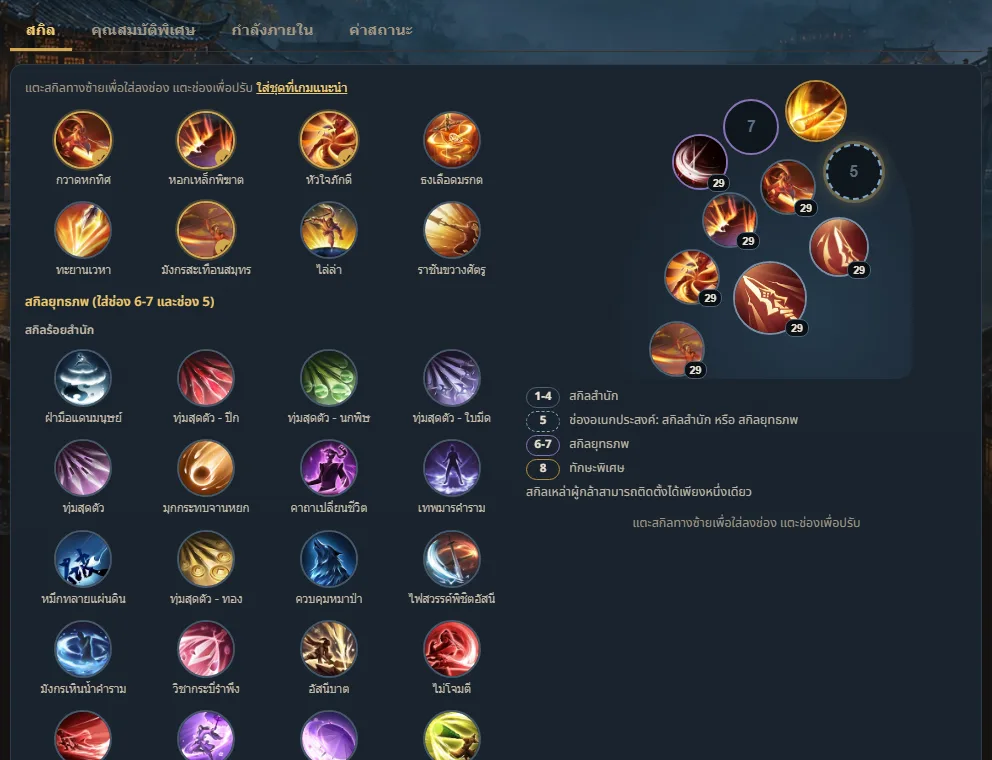
Skill tab: skill list on the left, in-game style skill wheel on the right - Set Traits and WillpowerMatch what you use in the game, by dragging or tapping. Items tagged Simulated, partly estimated point the right way but the size is rough. Items tagged No effect on boss damage are not counted Set each Willpower to its level in the game: every 10 levels it gains 1 element and its effect goes up one tier. If yours has the Aura line, turn on + Aura and the effect goes up one more tier. For elements the game rolled at random, pick the one you got. Zhoutian counts these elements
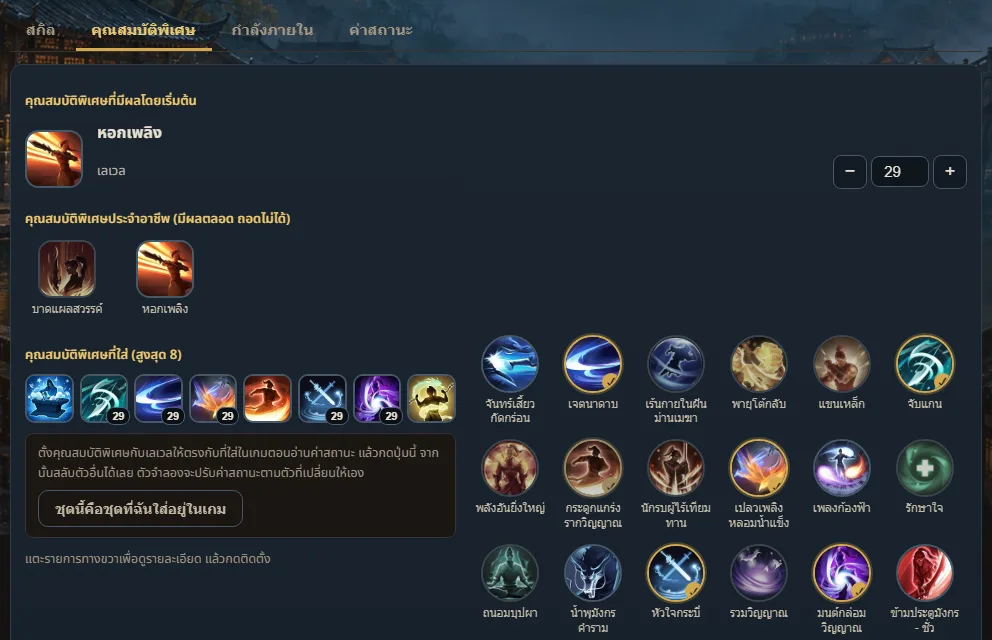
Trait tab 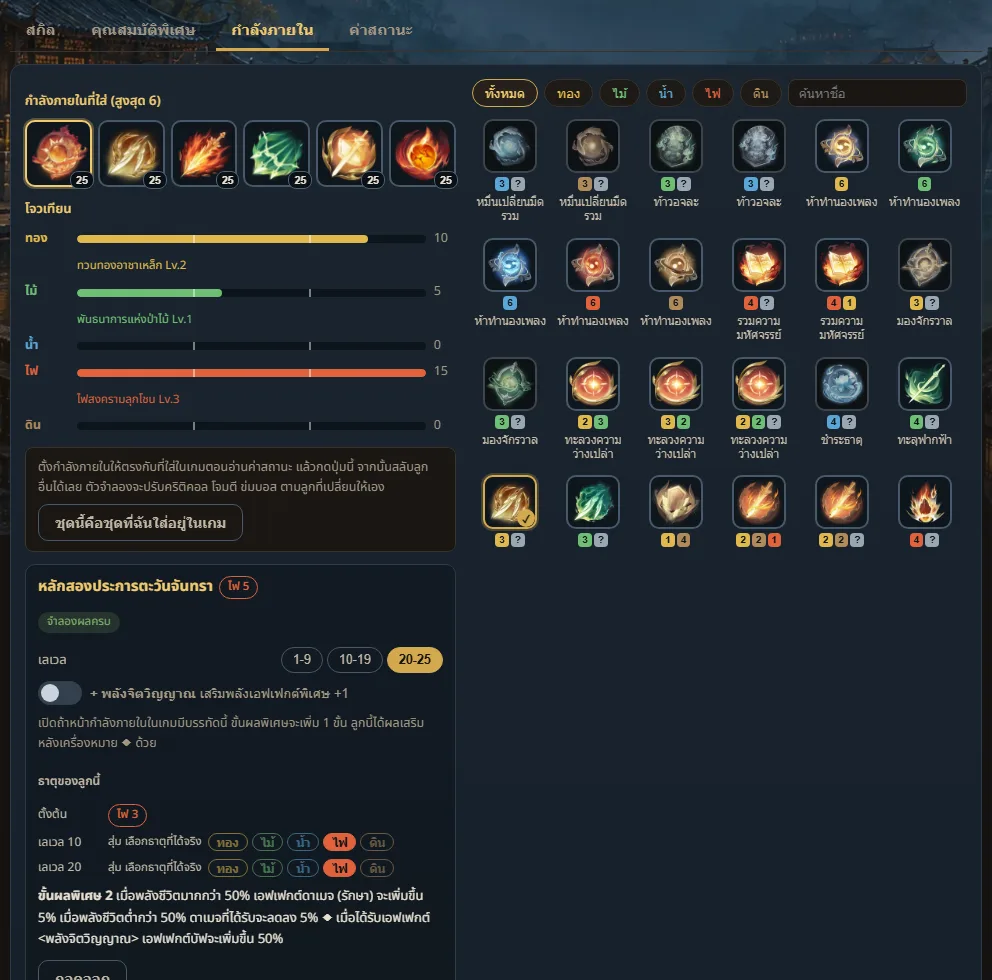
Willpower tab with 6 slots and the Zhoutian element bars - Enter statsIn the Stats tab, enter values from your in-game character panel, at least Attack, CRIT, CRIT DMG and Hit. Adding CRIT Chance after Hit makes it more accurate
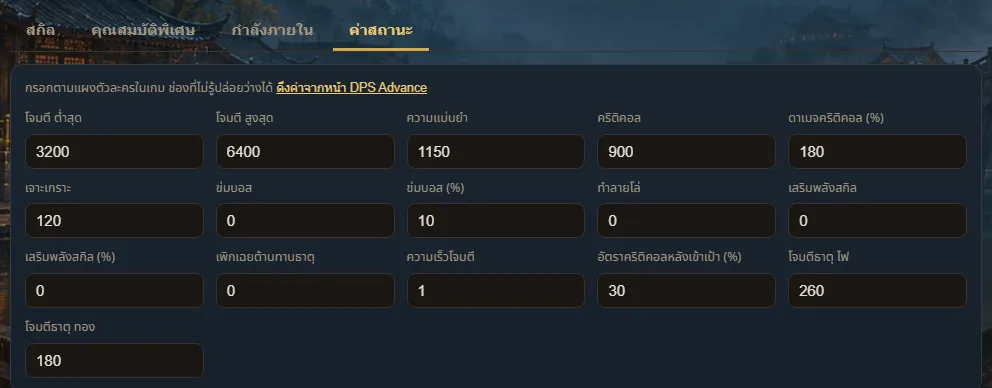
Stats tab, filled in from the character screen in the game - Press StartWatch the rotation, damage numbers, damage per second, total damage and each skill's share. Speed up with ×2 ×4 ×8, or press ⏭ Skip to see the result right away. The result is the same at every speed because the whole run is worked out before the animation starts
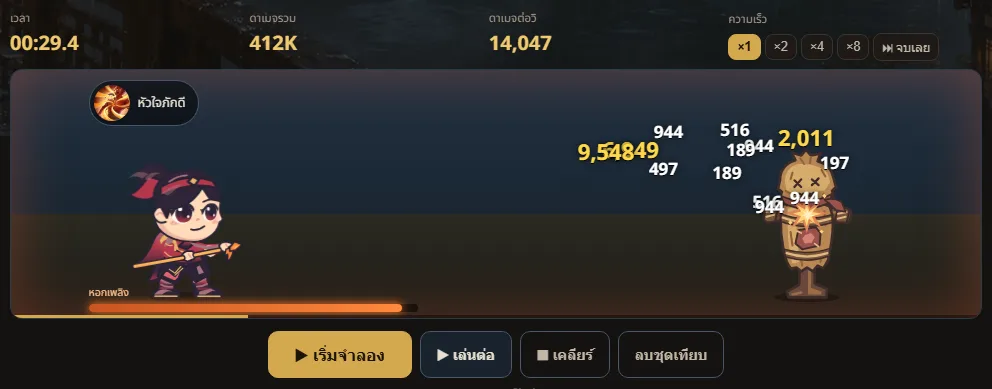
The simulation stage: the character attacks the straw dummy, damage numbers pop up, and the spear turns fiery while Flame Spear is active
Compare two setups
Press Keep this setup to compare, change what you want to test, such as swapping Willpower or adding stats, then press Start again. The page says Current setup is stronger, Kept setup is stronger, or Too close to call
It only says stronger when the setup wins every repeated run. If the gap is small or the runs disagree, it says Too close to call instead of guessing
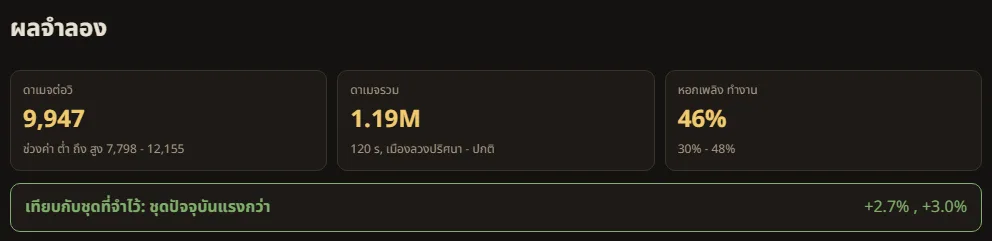
How to read the result
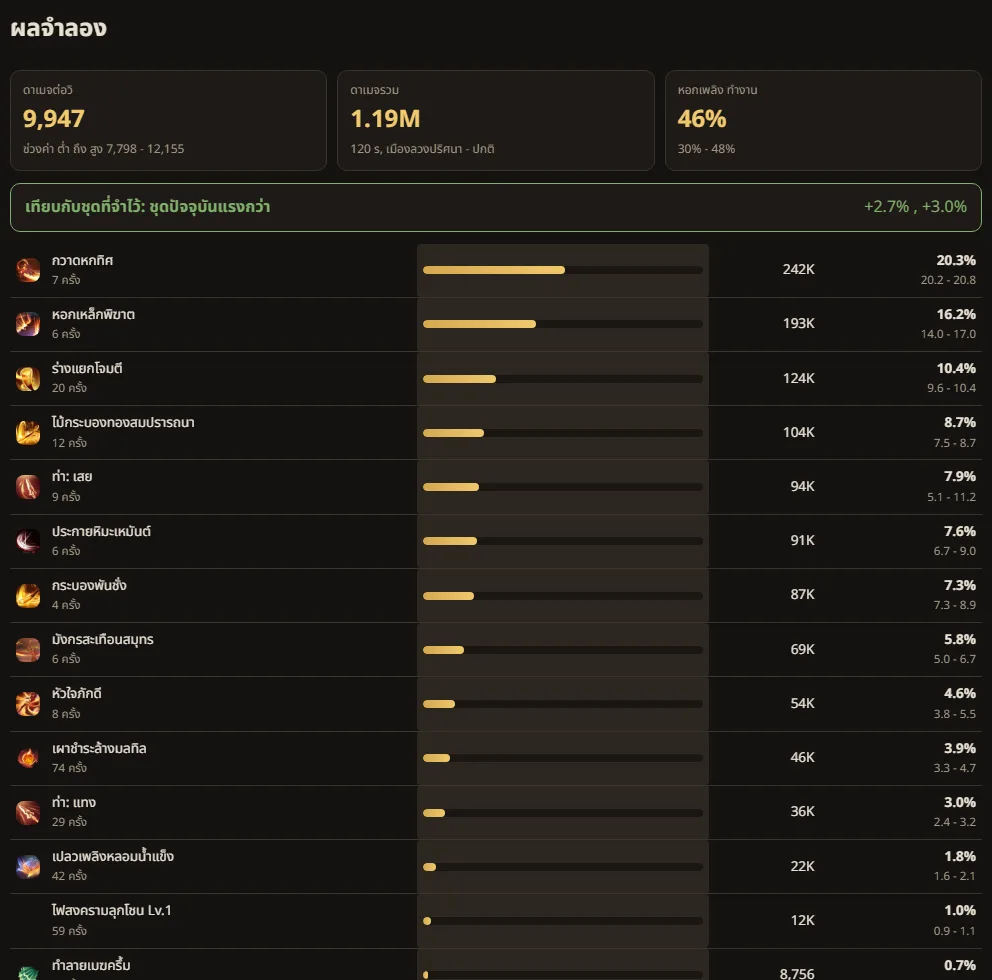
- Damage per second, range low to high
- The simulation runs several timings (fast, mid, slow). The middle number is the main one, the range shows how much it can swing
- Share
- What percent of total damage each skill deals, useful to see which skills matter most
- Reliability %
- How closely each skill's share of damage matches the in-game damage panel from real gameplay clips. Stat comparisons are reliable for every class. For swapping skills or Willpower that boosts specific skills, the higher the %, the more you can trust it
- Dummy
- The in-game dummy defense values are not available yet, so the page uses the boss of the dungeon that the dummy copies. The total is an estimate
This mode is open to guild members first Log in